CATAN TOOLS · FOR CLUBS AND ORGANIZERS
CATAN tournaments. Free.
Your community deserves a well-run tournament.
From the first table assignment to the final standings. With branded boards, a club page and announcements in one place.
Create an organizer account. You can then link Google in account settings.
Free for organizers.
No subscription. No bank card. There is no usage fee for the tools presented here.
- Boards and club identity
- Tournament management and results
- Public results without spectator accounts
YOUR EVENT IDENTITY
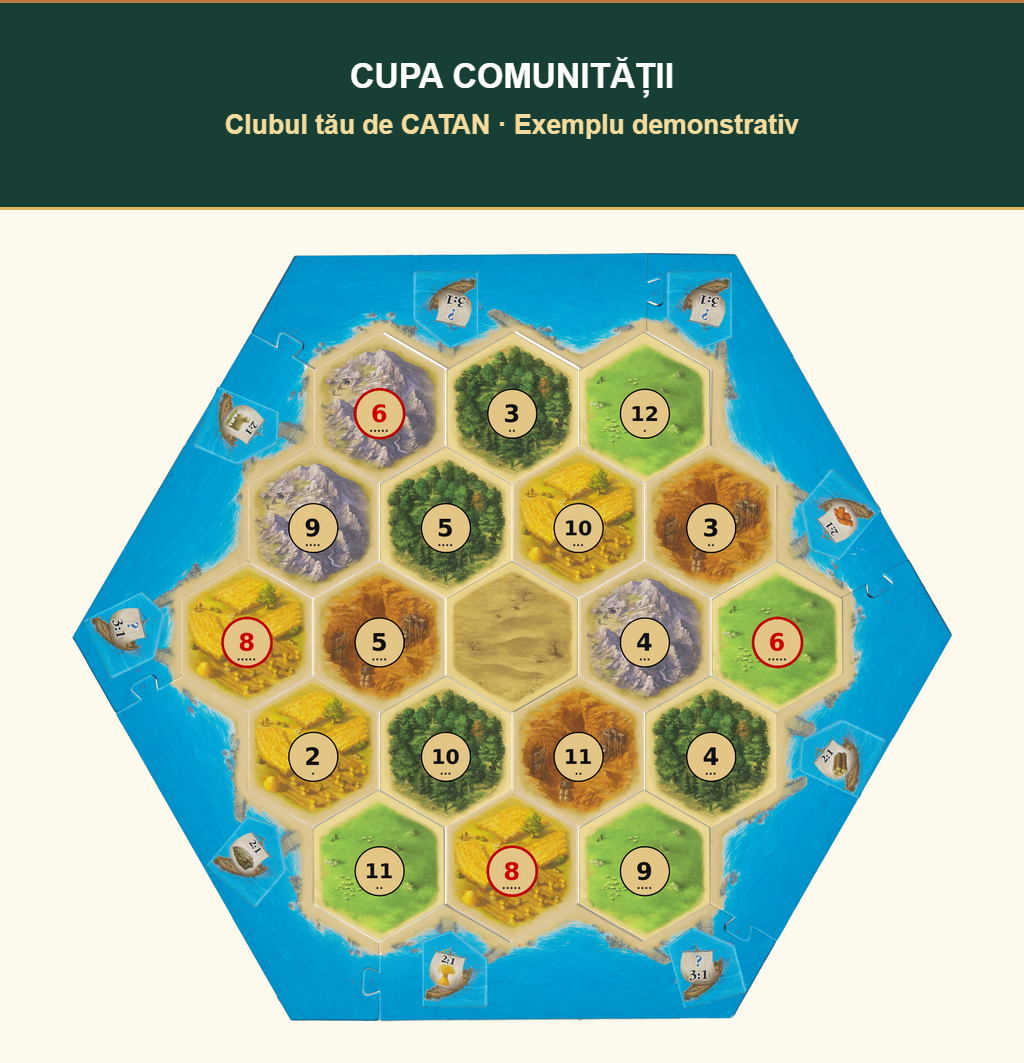
Your club name on every board.
Give the boards you show your players the identity of your event: a title, subtitle and your own logos.
- Up to two club or partner logos
- Three color palettes and a header saved to your account
- PNG exports for Classic and 5–6 player boards
Branding appears in your signed-in generator and exported images. A public board code does not carry your private header.
A HOME FOR YOUR CLUB
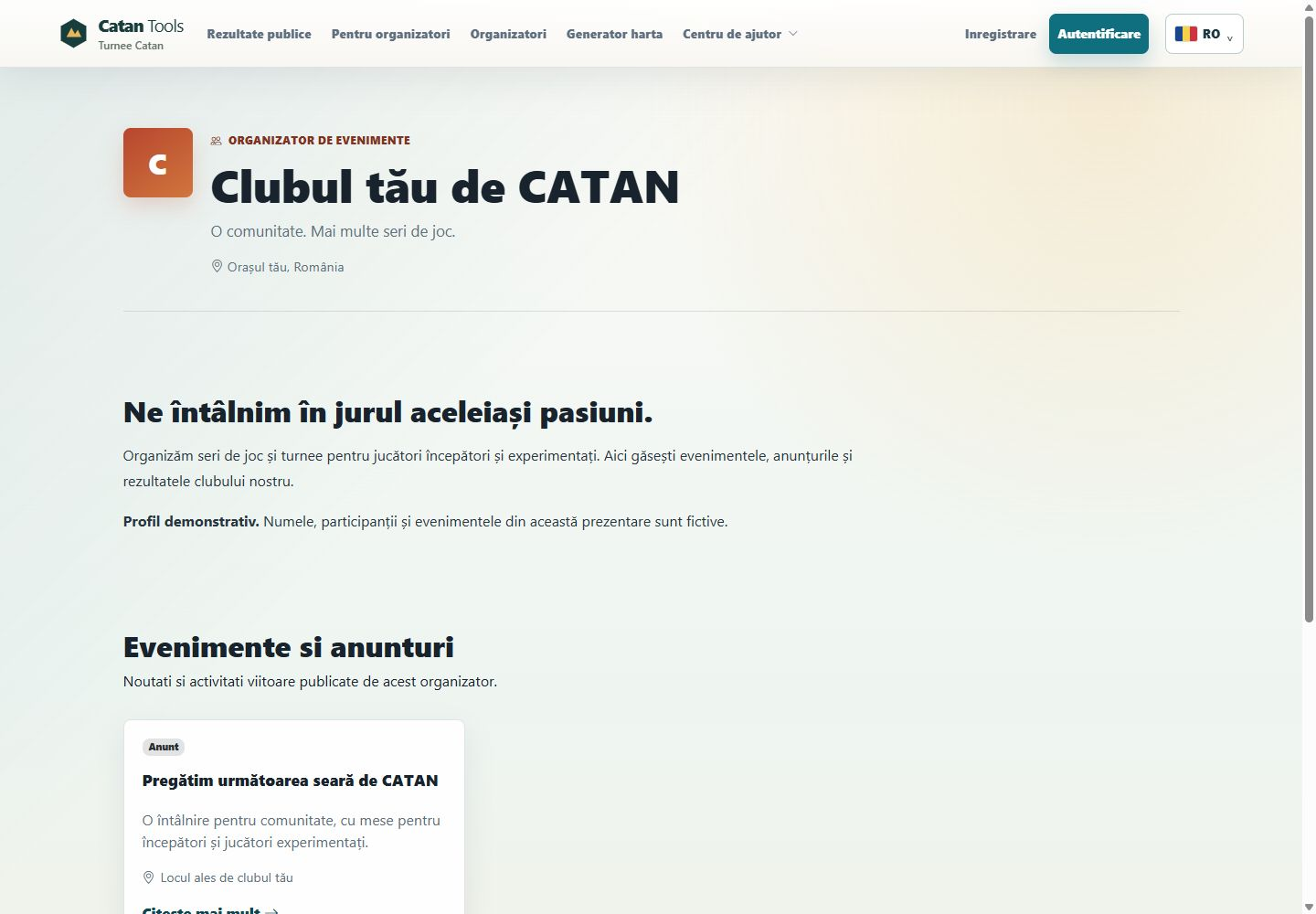
More than a results link.
Introduce your community
A public page for your club story, images, location and contact details. Published events and announcements sit alongside your presentation.
Announce what comes next
Publish news or dated events with a location and external link. Keep a draft until the details are ready.
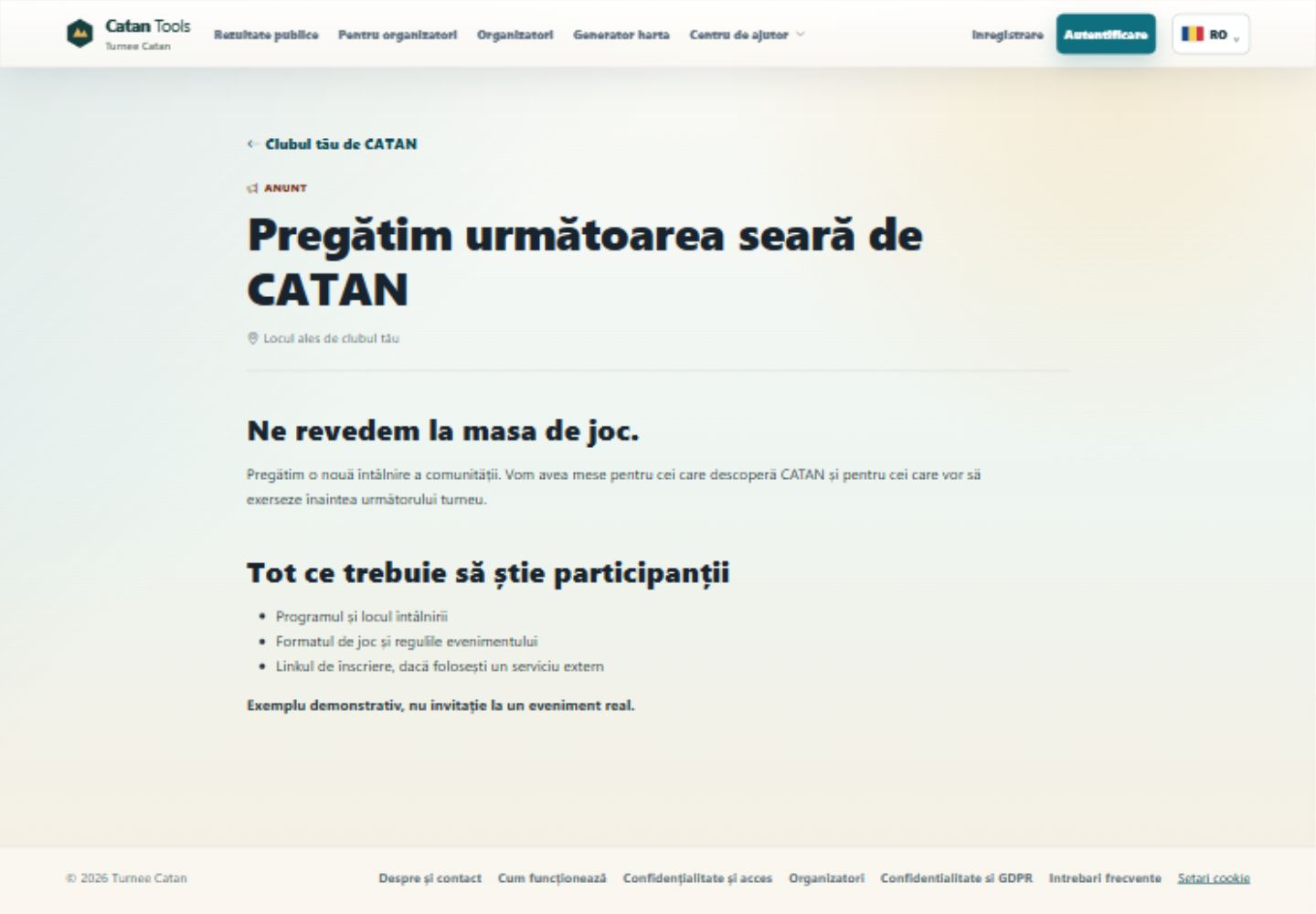
Announcements are website posts, not automatic email campaigns. Link to your existing provider for registration or tickets.
A MORE MANAGEABLE TOURNAMENT DAY
Focus on people. Keep the details organized.
- 01
Prepare your players
Add players and reuse the participant directory. Internal notes stay private.
- 02
Organize the rounds
Assign three- or four-player tables, choose boards and enable optional table timers.
- 03
Publish results
Enter scores and follow the standings. Players can read public results without an account.
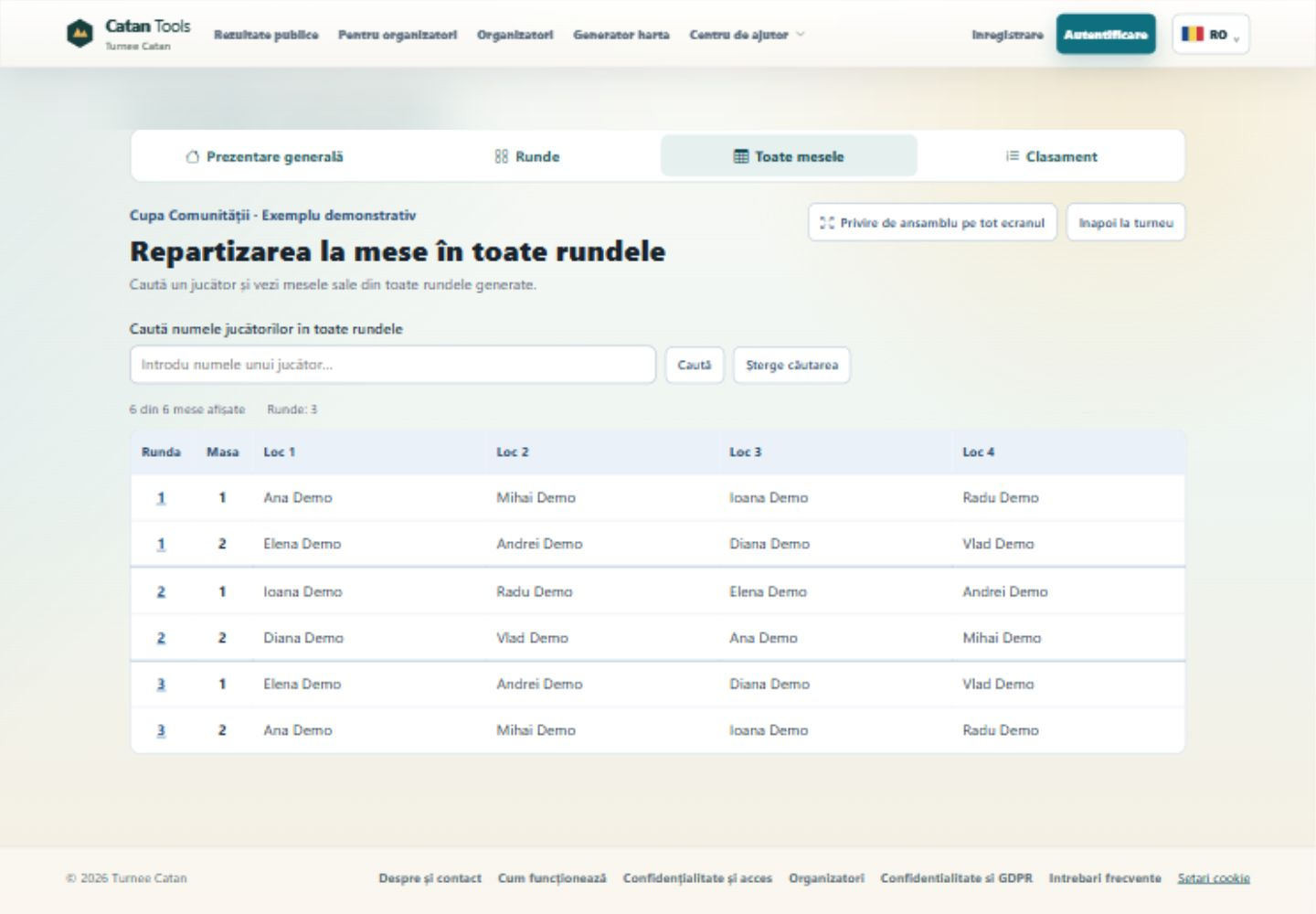
See the application.
Real interface captures in Romanian, with fictional players and events.
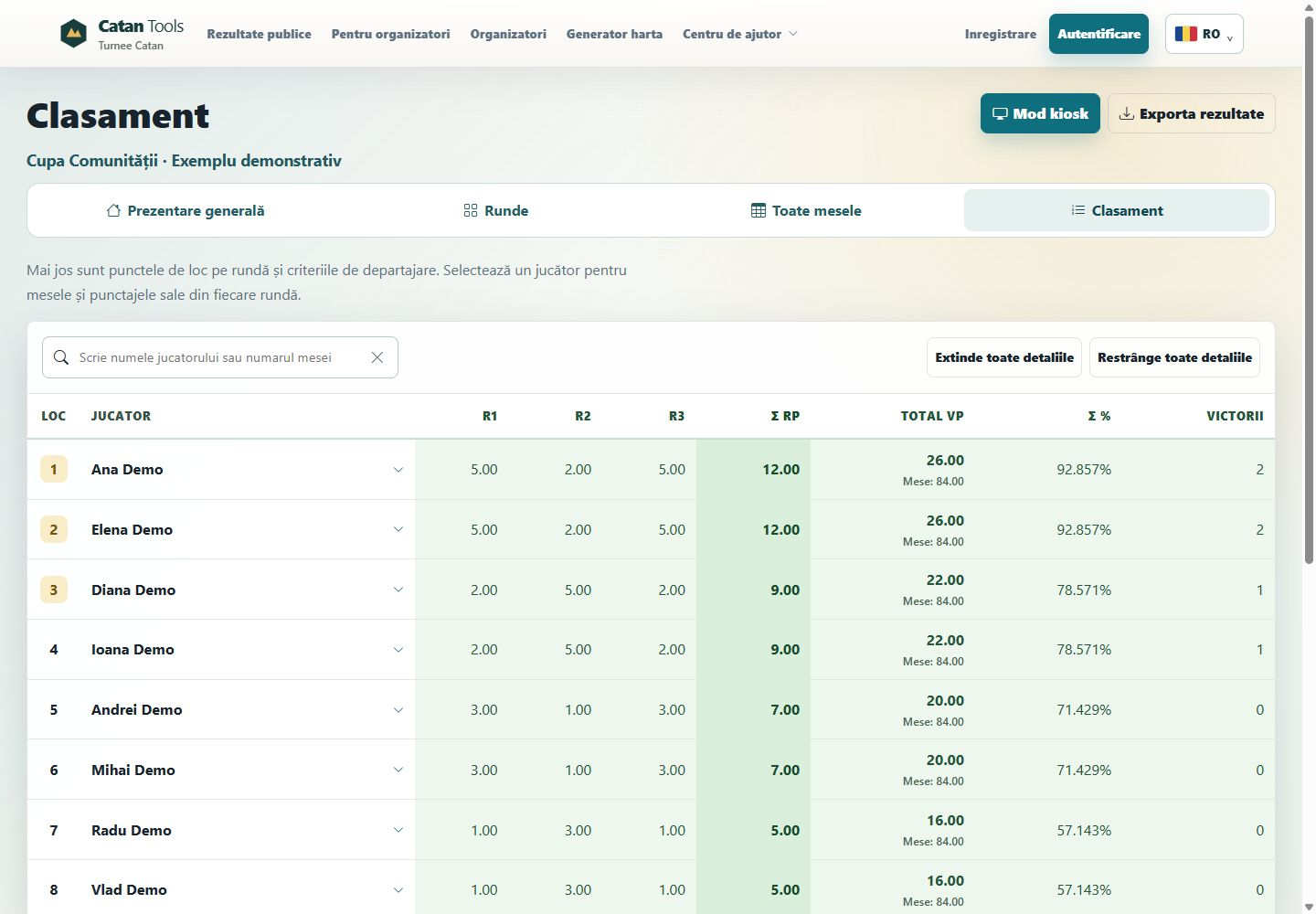
- Public or private events
- Standings and assignments for a room display
- Downloadable and printable results
- Monthly rankings across selected events
Keep the rules clear.
Custom format
Choose ranking criteria and their order, virtual scoring for three-player tables, and random or standings-based seating.
Championship workflow
Preliminaries, qualification, semifinals when required and a final. The organizer confirms results and generates each next stage.
The championship preset has its own requirements, including at least 12 players. It does not certify an official event or replace judges.
Read the scoring guideTOOLS FOR ORGANIZERS
Your rules, tables and timing.
Prepare the format, review assignments and follow every table. See what you can configure and when changes are allowed.
Event settingsFormat, rounds, visibility and boards.
- Set the name, date and public or private visibility. The custom format supports 1 to 10 rounds.
- Choose standings-based or random seating after round one. The app forms tables of three or four, favoring four-player tables.
- Assign a shared round board and, in custom events, a different board for an individual table. Boards can change only when every round timer is reset and no scores are saved.
Championships have their own schedule and rules; the format and initial field are fixed when round one is generated.
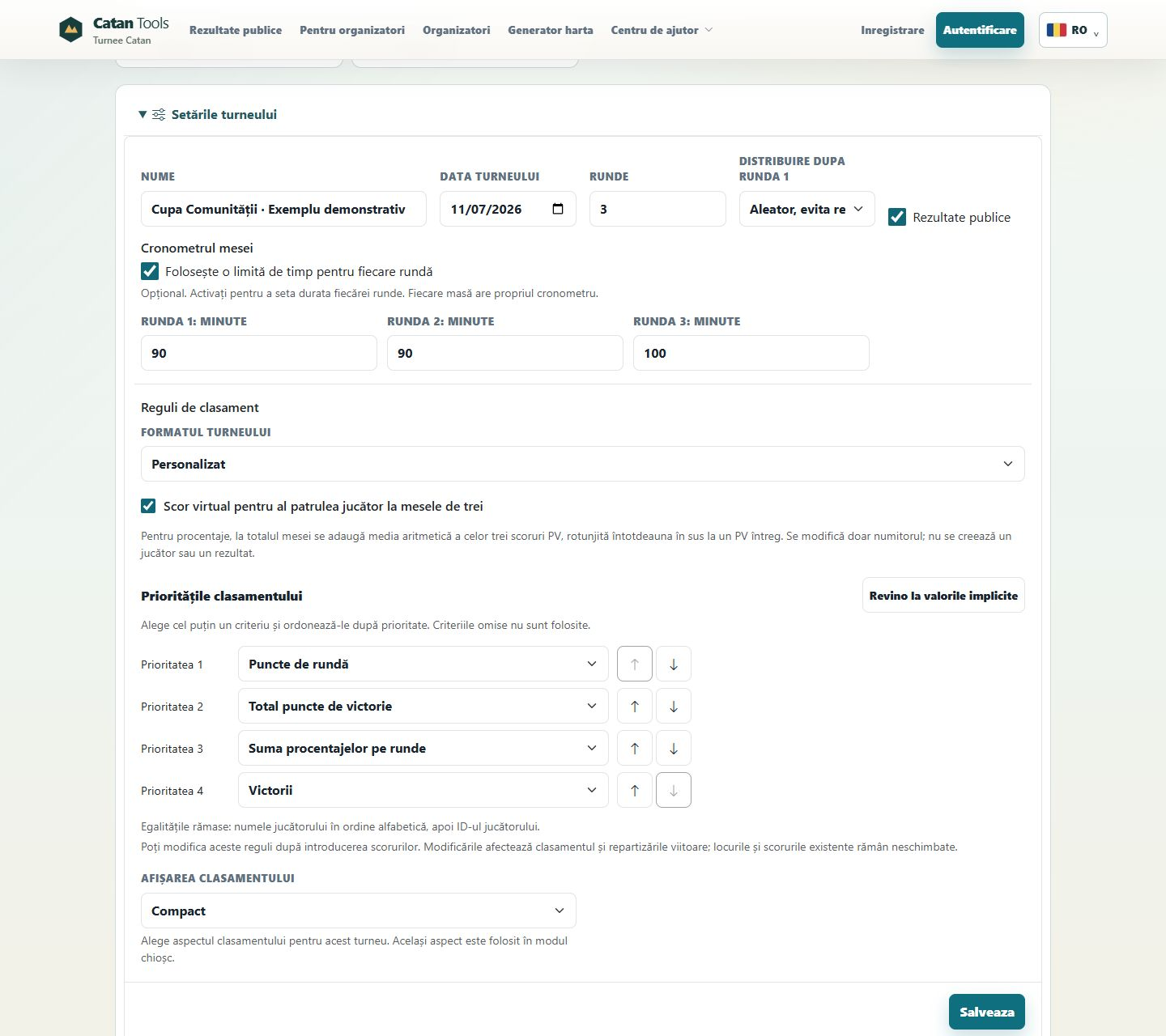
Standings and tiebreakersSet the priorities in custom events.
- Select and order round points, total victory points, the sum of round percentages and wins. Omitted criteria do not affect the standings.
- Optionally add a virtual score for percentages at three-player tables. In custom events, the three scores are averaged and rounded up, changing only the denominator; no extra player is created.
- Choose compact or detailed standings, including the venue display. Inspect each player's tables and scores by round.
Changing custom criteria recalculates standings and affects future seating without moving players in existing rounds. The championship preset uses different rules, including different virtual-score rounding.
Fewer repeat opponentsFormat-aware seating with separation preferences.
- Custom random seating searches for fewer repeat opponents. Standings-based seating groups players by results; it does not pursue the same repeat-avoidance objective.
- Specify pairs who should play separately. The app tries to honor these preferences and warns when conflicts remain.
- Family groups are a strict constraint in custom events: if relatives cannot be separated, generation is rejected without changing existing assignments.
New opponents in every round are not guaranteed. Championship preliminaries prioritize fewer repeats, play-order rotation, then friends and family separation.
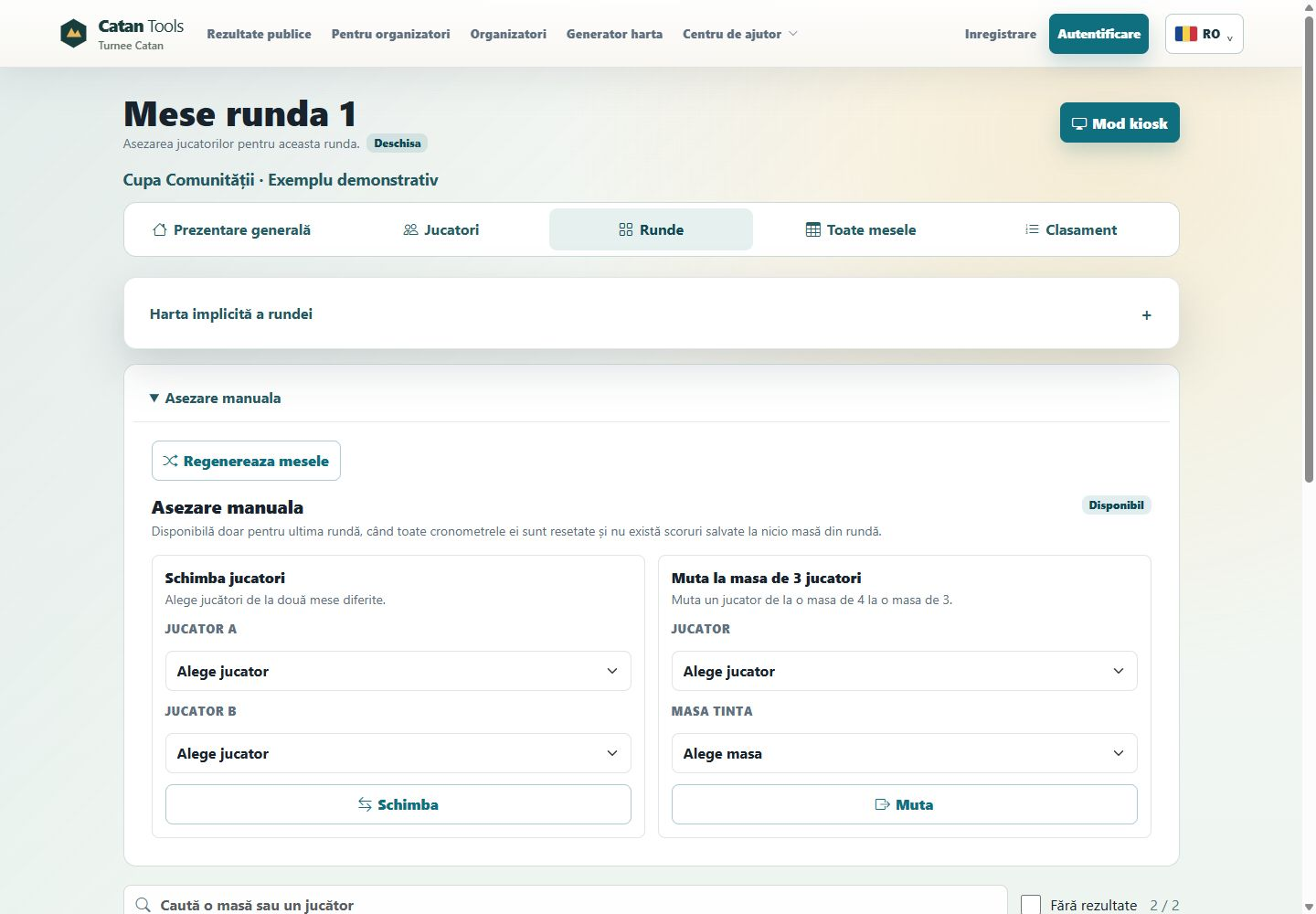
Manual changes before playSwap two players or move one between tables.
- In custom events, swap players from different tables or move a player from a four-player table to a three-player table, preserving valid table sizes.
- Regenerate the latest round. Regeneration and manual moves require every timer in that round to be reset and no scores saved at any table.
- Moves that place relatives together are rejected. Recheck other preferences and repeat opponents after manual changes.
Championships do not allow these unrestricted moves or regeneration. For game four and elimination stages, record the play order chosen according to standings before play starts.
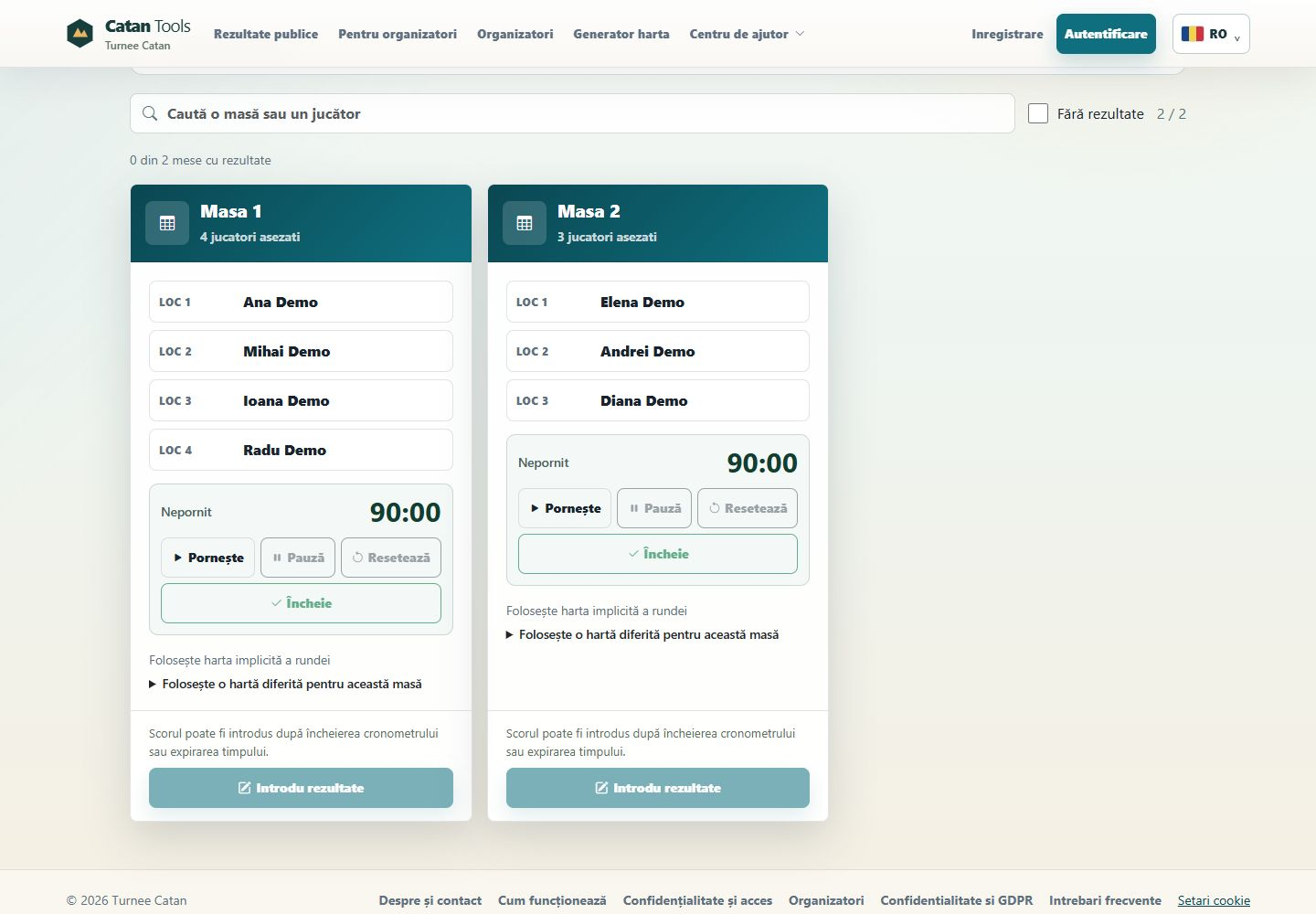
Round durations and timersA duration per round, a separate timer per table.
- Timers are optional. Set each round's duration separately; tables have start, pause, resume, reset and finish controls.
- With timing enabled, score entry unlocks when that table's timer finishes or expires. Once results are saved, its timer can no longer change.
- Change a round's duration only when all its timers are reset and no scores are saved. Enabling or disabling timing requires that condition for every round.
These are not individual turn, initial-placement or map-study clocks. Those intervals and judging decisions remain the organizer's responsibility.
Participants and event progressReusable records, withdrawals and accessible results.
- Reuse saved participants, search by name, define family groups and keep private event notes.
- In custom events, players marked offline keep their results and are excluded from future seating. Existing rounds do not change automatically.
- Track scored tables, display pairings and standings in kiosk mode, and download results. Combine selected events into a monthly ranking.
In championships, an inactive qualifier can block advancement. No replacement is promoted automatically; the organizer and judge must resolve it.
Inside the organizer workspace
Real Romanian controls with fictional data and demonstration states.
YOUR ACCOUNT. YOUR CHOICES.
Sign in with Google. Choose what to publish.
Google sign-in, an encrypted connection and separate access rights for players and organizers.
Google sign-in
Authentication happens at Google. Catan Tools does not receive your Google password.
HTTPS connection
The public site uses an encrypted connection between your browser and the server.
Role-based access
A player account does not automatically receive organizer permissions.
Publication controls
Profiles, announcements and events have publication settings. Public results include display names and scores.
 New Google registrations create player accounts. Use organizer registration to host events, or contact me if you already have a player account. Existing organizers can link Google in account settings.
Before your first tournament
Is it really free?
Yes. The tournament management, branded boards, organizer pages and announcements presented here are free. No subscription or bank card is required. Any entry fees set by an organizer are separate from the platform.
How do I start as an organizer?
Choose “Start for free” and complete organizer registration. If you already have a player account, contact me using its email address to request organizer access.
Is this Google Authenticator?
No. This is Google account sign-in, not an integration with the Google Authenticator app for 2FA codes. Existing organizers can link Google in account settings after signing in with their password.
Do players need accounts?
Not to read public tournaments, assignments or standings. The organizer manages the participant roster. Player self-registration and ticket payments are not included.
Can I use it for an official event?
The application includes a championship workflow but does not authorize an official CATAN event. Confirm current requirements and rules with the program organizer or publisher.
Does it work offline?
Management requires an internet connection. Download or print the results and assignments you need as an event-day backup.
FROM A PLAYER, FOR THE COMMUNITY
Planning your next tournament?
Try the tools for free. Contact me directly with questions, organizer-access requests or ideas for improvements.
Vasile-Nicușor NechiforCreator of Catan Tools[email protected]